
Proof on every job photo.
The app opens on the camera. One tap, and the date, time, street address and project are burned into the shot. It lands in the project record before anyone leaves the spot.
Free. Works with no account. Project managers, start a project and invite your crews.
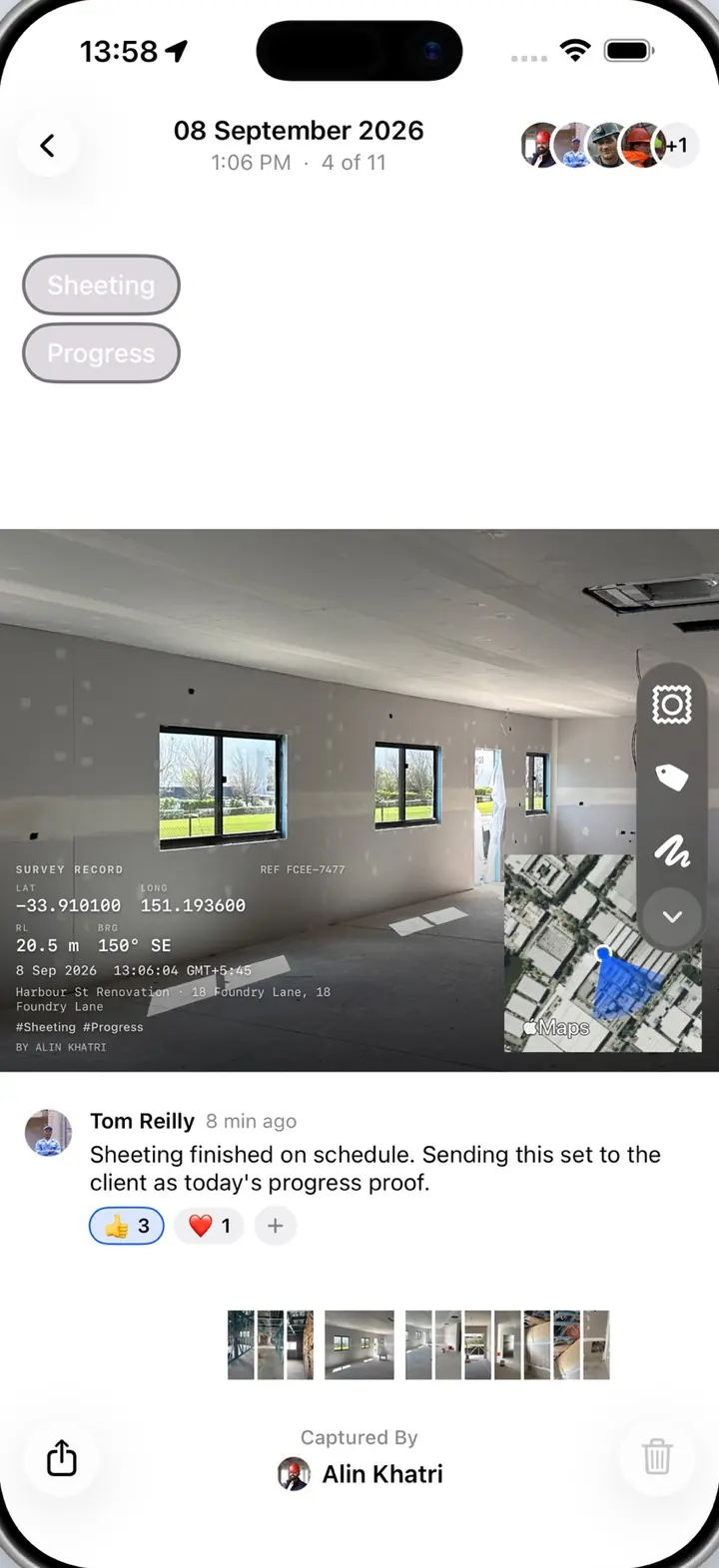
Crews shoot on the phone. The office searches the record.
The app is how photos get in. The platform is where the project manager finds them. Same project, two screens.
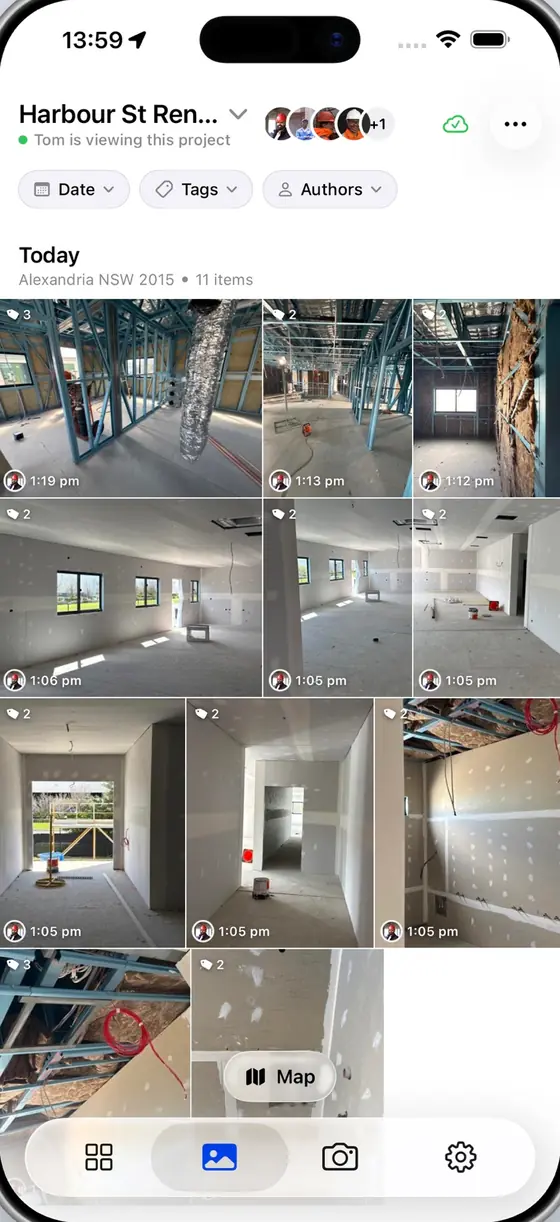
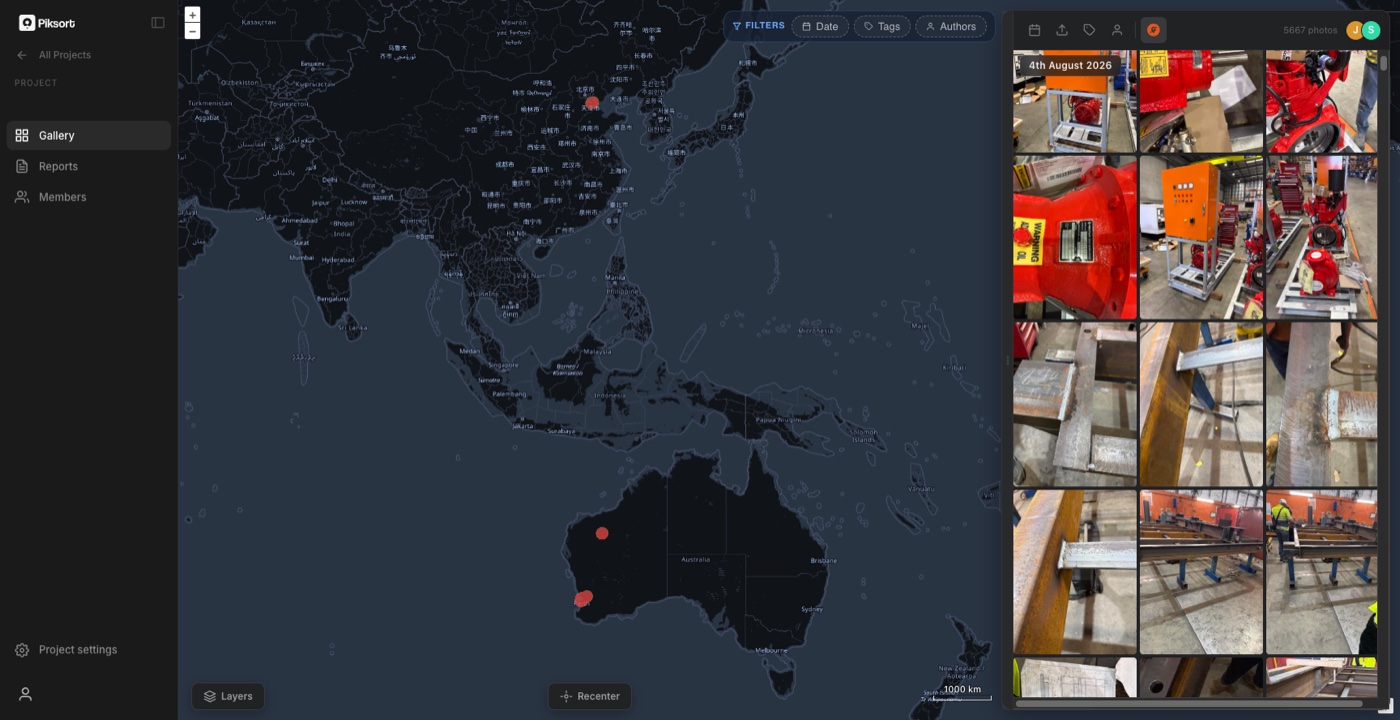
A worker picks the project once. Every photo after that lands in it, stamped and tagged, with a pin on the site map for where they stood.
The photo joins the project record next to the day's camera frames and forms. Project managers search it by date, place, job or person.
Send the day's set to a client, certifier or insurer in one tap. Date, place and job are on the photo itself.
Made for crews on site.
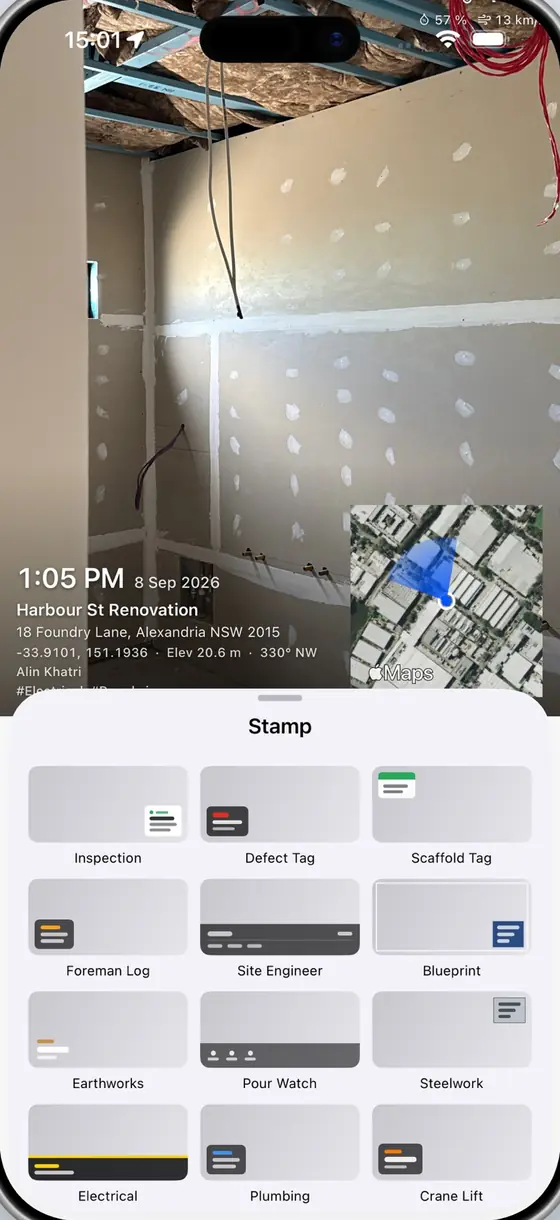
26 stamp styles, built for trades
Inspection, defect tag, concrete pour, electrical, plumbing, scaffold, crane lift, hi-vis safety, blueprint and more. Pick the look the job needs and add your company logo. Every stamp burns the proof into the image itself.
- Date
- Time
- Street address
- Coordinates
- Elevation
- Compass bearing
- Weather
- Tags
- Your logo
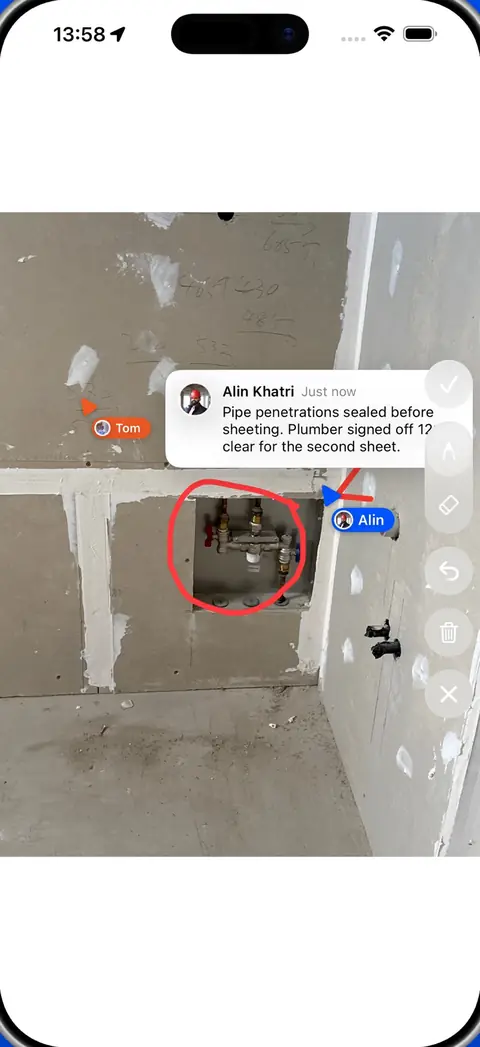
Point at the problem
Circle it, draw an arrow, leave a comment. The whole crew sees the markup on the photo.
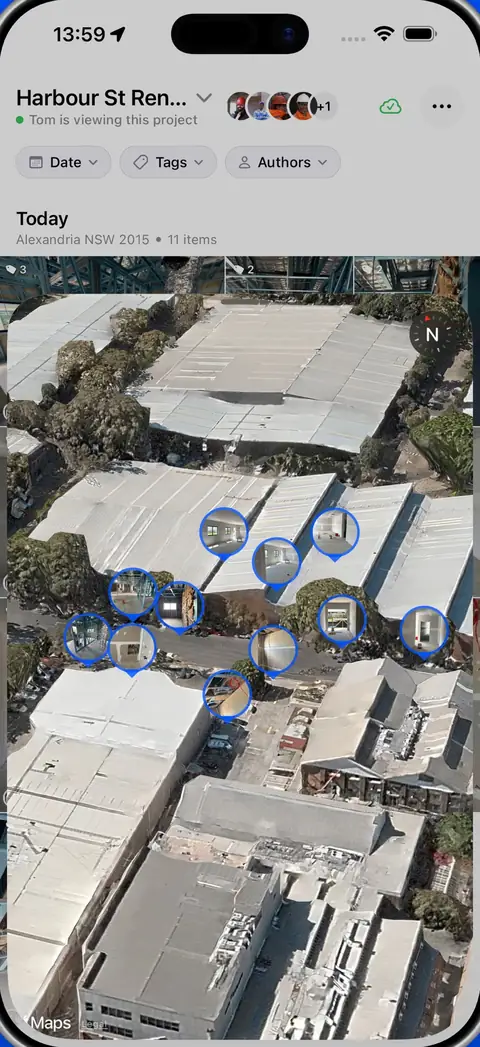
Every photo, where you stood
Each shot is pinned on a map of the site. Find the east wall from three weeks ago in seconds.
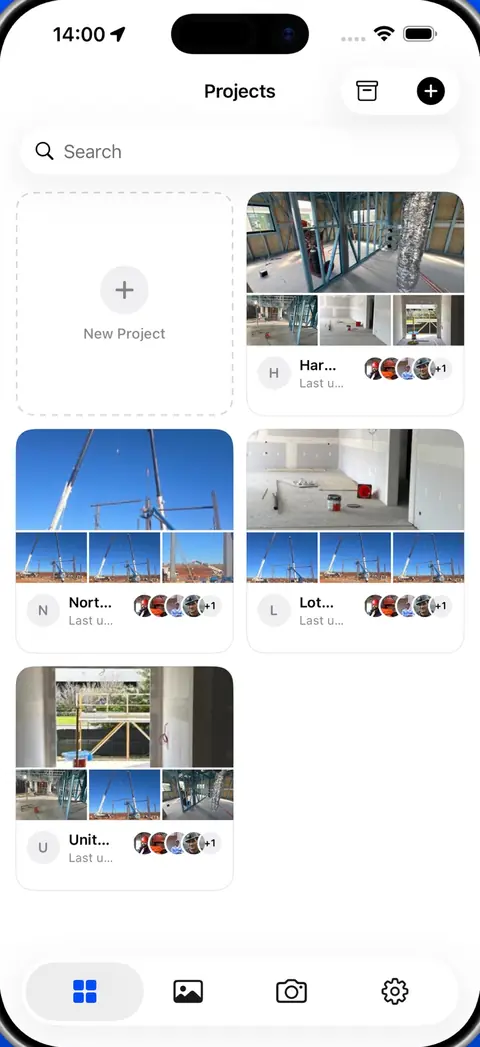
Sorted into jobs as you shoot
Pick the project once. Every photo lands in the right place for the whole team.
No sign-in needed to start.
Without an account
Camera, stamps, tags, projects and saving to the camera roll all work with no sign-in. Photos stay on the phone until you choose to back them up.
With a free account
Cloud backup, shared project galleries, team members, markup and comments, and a web gallery at app.piksort.com. Originals save to the camera roll as well.
Everyone invited to a project uses the app free.
Crews, contractors and subbies join on the Subby plan at no cost. The project manager holds the Project plan: $1,080 a month per active project, ex GST, and the fee stops when the project closes. Every project starts with 30 days free.
Common questions from site crews.
Which phones does it run on?
iPhone and iPad on iOS 17 or later, and Android phones through Google Play.
Do my subbies have to pay?
No. Anyone invited to a project uses the app free on the Subby plan. The project manager's Project plan covers the record.
Can the stamp be removed?
The stamp is burned into the image the moment the photo is taken. With a free account the original is saved as well.
Do photos leave the phone on their own?
Photos stay on the phone until you turn on backup. After that they upload whenever there is signal.
Do I need a Piksort camera?
No. The app works on its own. Site cameras add a fixed view of the site every 5 minutes, and that footage lands in the same record.
Put it on the crew's phones today.
Free to download. Free for everyone invited to a project. Questions, or a stamp style you need? Book a call.